

データパッケージを使い始める方法
非公式翻訳 (Unofficial translation). これはデータパッケージスタンダードの有志による日本語訳です。 正典は英語原典 datapackage.org 。未訳の箇所は英語の原文を参照してください。
データパッケージスタンダードの実装には数多くの選択肢がある。ここでは、出発点として適した、もっとも人気のある選択肢をいくつか取り上げる。
Open Data Editor
データパッケージスタンダードを使い始めるもっとも簡単な方法は、Open Data Editor(現在ベータ版)をインストールすることである。
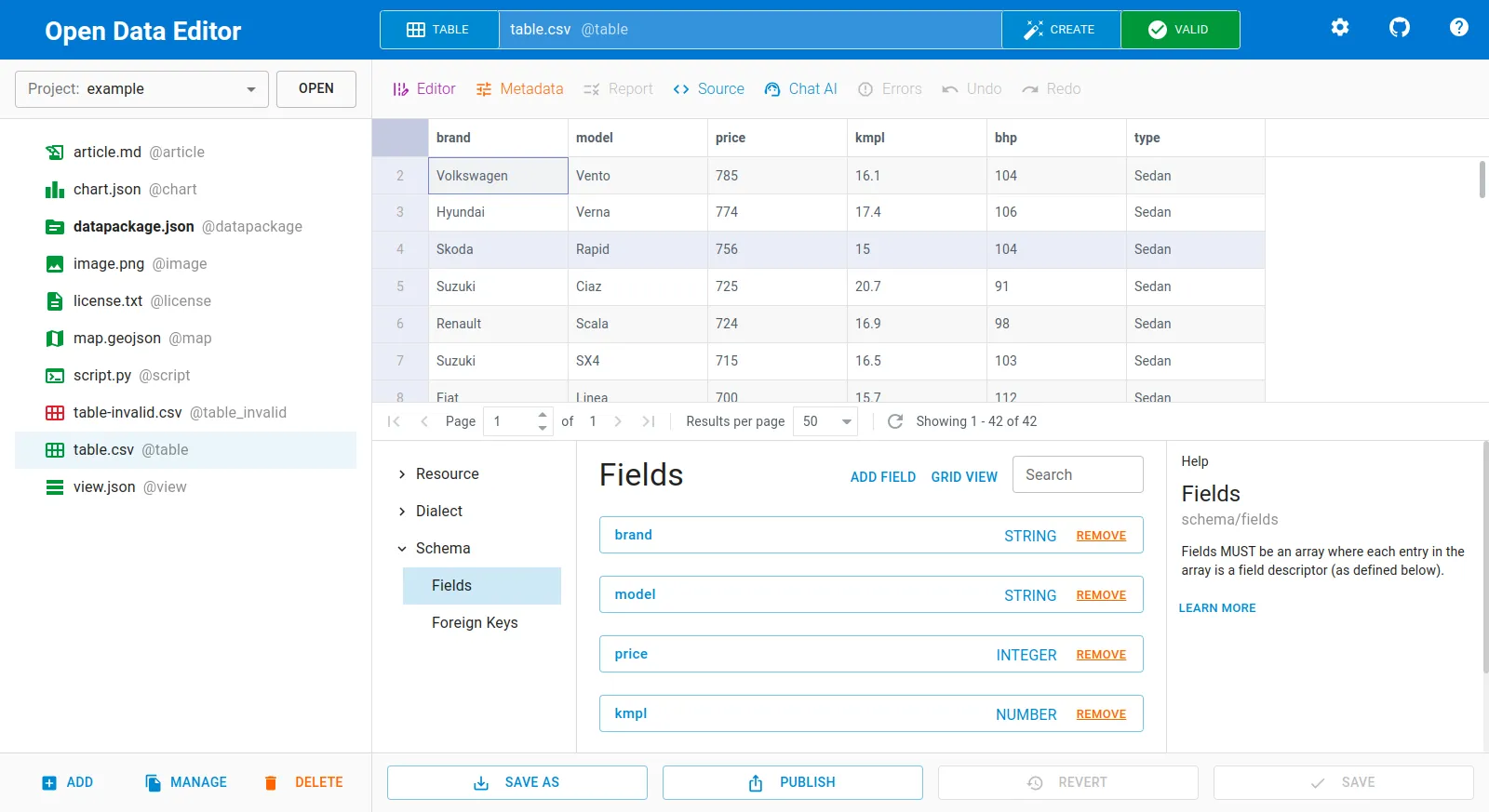
現代的な IDE で通常そうするように、ファイルの追加や移動、データの検証などをビジュアルなインターフェイスで行える。Open Data Editor は内部で、データセットのためのデータパッケージのディスクリプタ(descriptor)を作成し(データセットを作成することで明示的に行うこともできる)、メタデータやデータ型を推論する。データのキュレーション作業が完了すると、データパッケージを検証し、たとえば CKAN へ公開できる。
すべての機能については、Open Data Editor のドキュメントを参照されたい。
frictionless-py
コマンドラインインターフェイスや Python を好むなら、データパッケージを管理するための完全なフレームワークである frictionless-py がある。CLI で利用できる主なコマンドは次のとおりである。
frictionless describe # to describe your datafrictionless explore # to explore your datafrictionless extract # to extract your datafrictionless index # to index your datafrictionless list # to list your datafrictionless publish # to publish your datafrictionless query # to query your datafrictionless script # to script your datafrictionless validate # to validate your datafrictionless --help # to get list of the commandfrictionless --version # to get the versionすべての機能については、frictionless-py のドキュメントを参照されたい。
frictionless-r
R コミュニティ向けには、R 言語でデータパッケージを管理できる frictionless-r パッケージがある。たとえば次のとおりである。
library(frictionless)
# Read the datapackage.json file# This gives you access to all Data Resources of the Data Package without# reading them, which is convenient and fast.package <- read_package("https://zenodo.org/records/10053702/files/datapackage.json")
package
# List resourcesresources(package)
# Read data from the resource "gps"# This will return a single data frame, even though the data are split over# multiple zipped CSV files.read_resource(package, "gps")すべての機能については、frictionless-r のドキュメントを参照されたい。