The UI
Windmill ships its own web UI. In this deployment that UI is capture-scheduler’s admin screen — there is nothing extra to run.
Every screenshot is this repo’s real data (today’s failed → succeeded run
history), captured by scripts/docs-shots.ts. Not one was taken by hand —
a screenshot is a copy of the UI, and copies rot. The re-capture steps live
on the Development page.
Opening it
Section titled “Opening it”http://127.0.0.1:8000| Default | Override | |
|---|---|---|
admin@windmill.dev |
WINDMILL_EMAIL |
|
| password | changeme |
WINDMILL_PASSWORD |
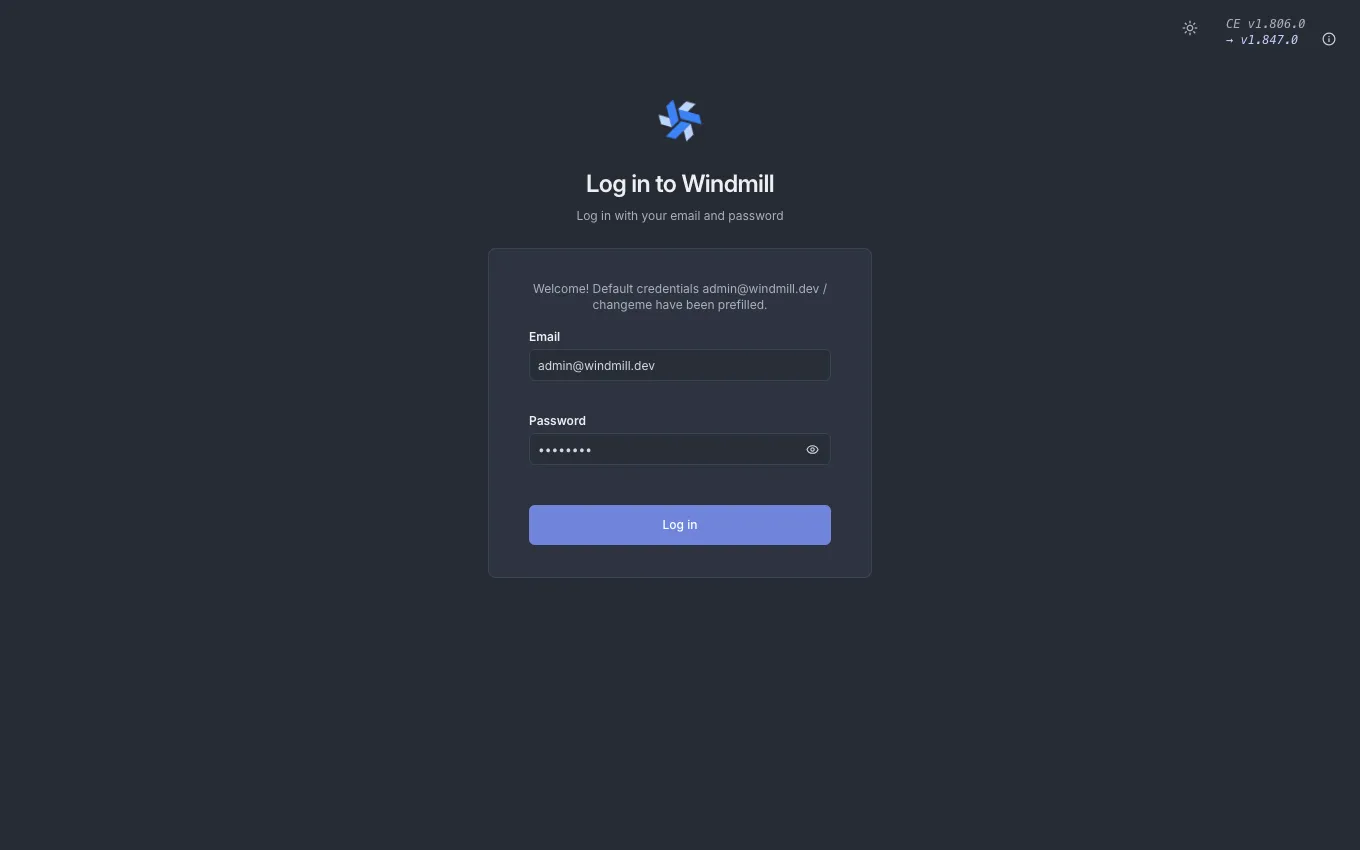
The port is bound to loopback. As the compose comment puts it, whoever reaches it can rebuild the workspace — schedules, webhooks and secrets are all editable from the UI — so it is never exposed to other machines.
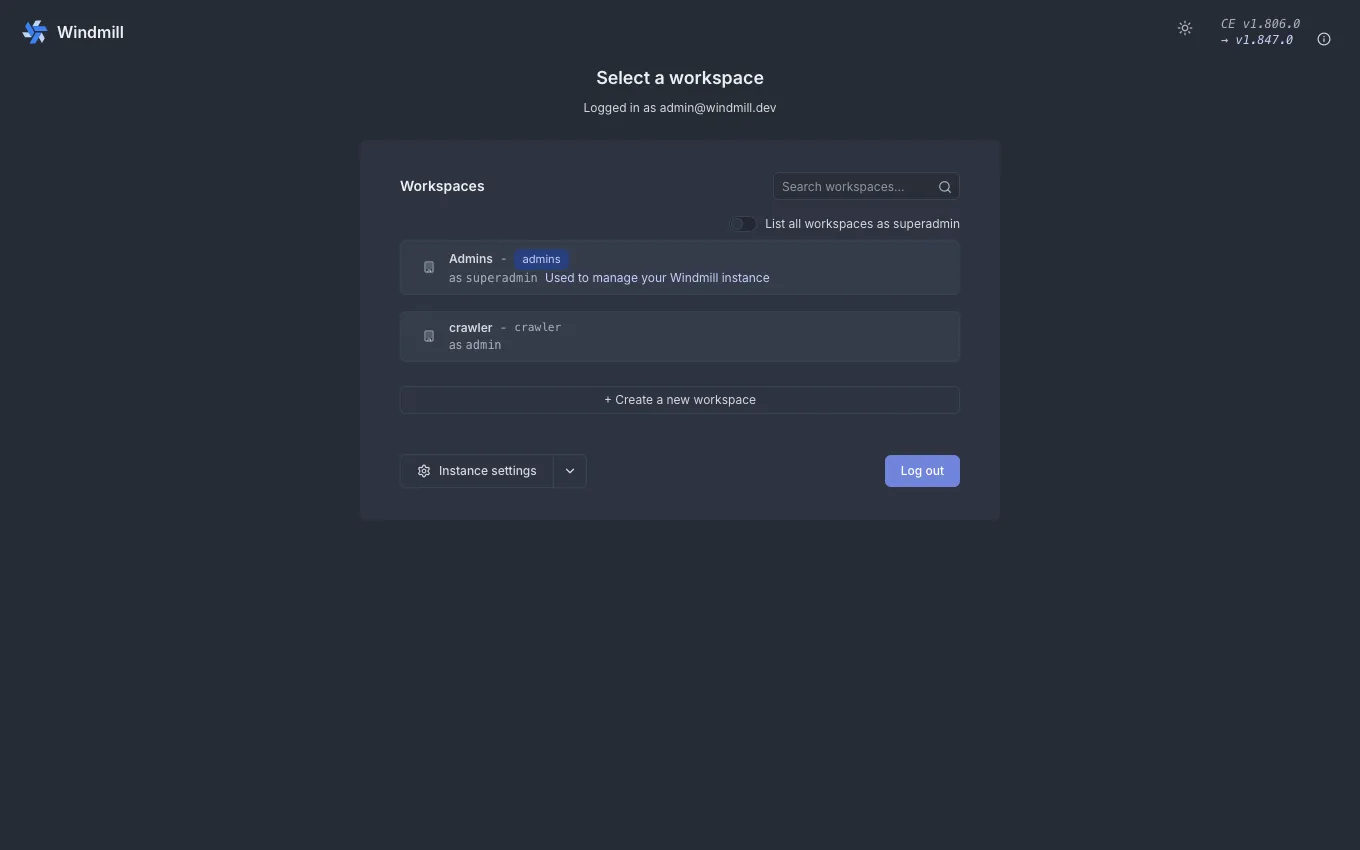
After logging in you pick a workspace. Pick crawler, the one bootstrap made.
Home — the sidebar is the map
Section titled “Home — the sidebar is the map”Inside crawler the sidebar appears. This page walks five of them: Home,
Runs, Schedules, Variables, Resources.
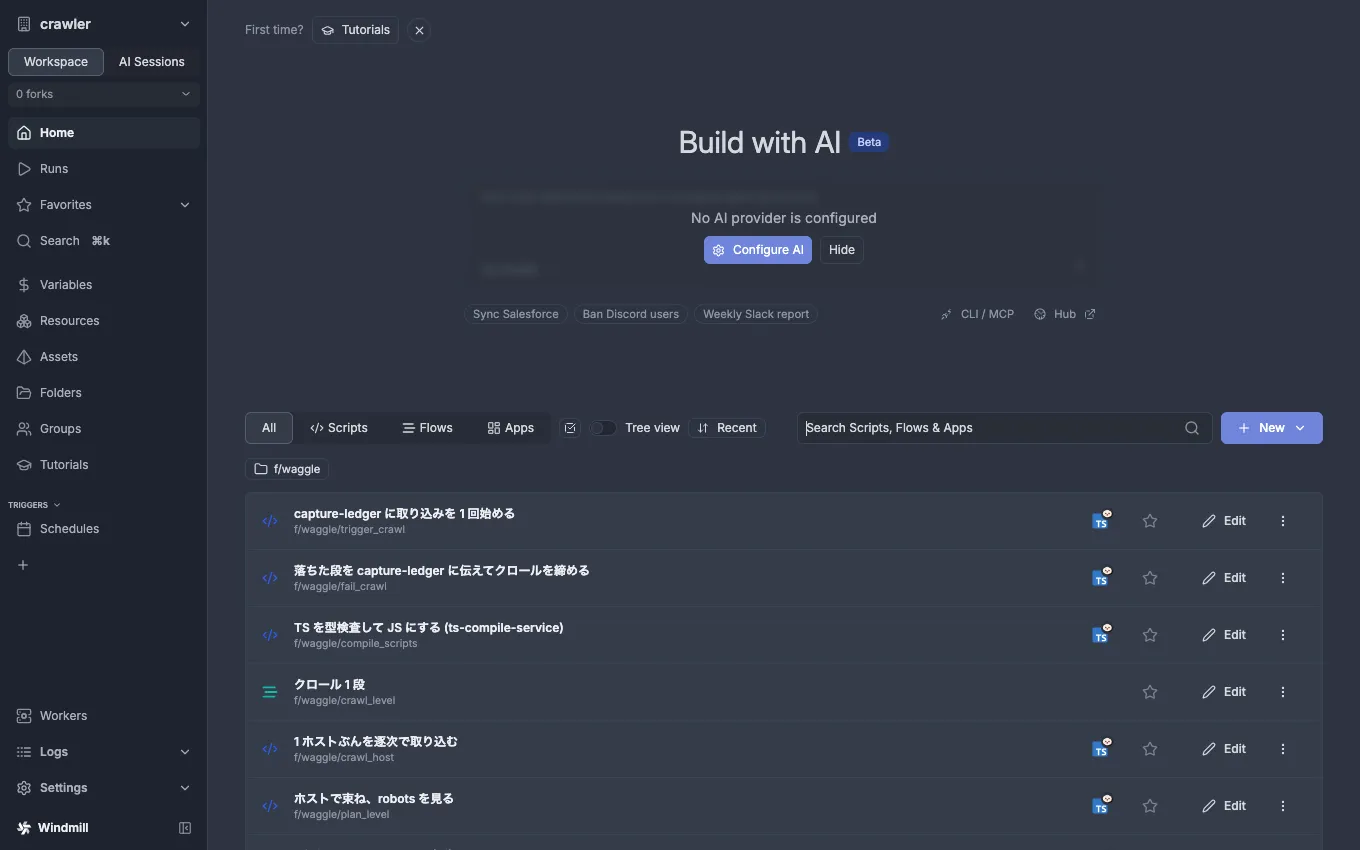
What the UI is for: looking, firing one run by hand, pausing something
temporarily. Permanent changes are made in the repo and pushed. Even the
schedule’s enabled flag lives in daily.schedule.yaml, so a pause made in
the UI comes back on the next windmill:push. Sync deletes in both
directions — see Development.
Runs — read the history first
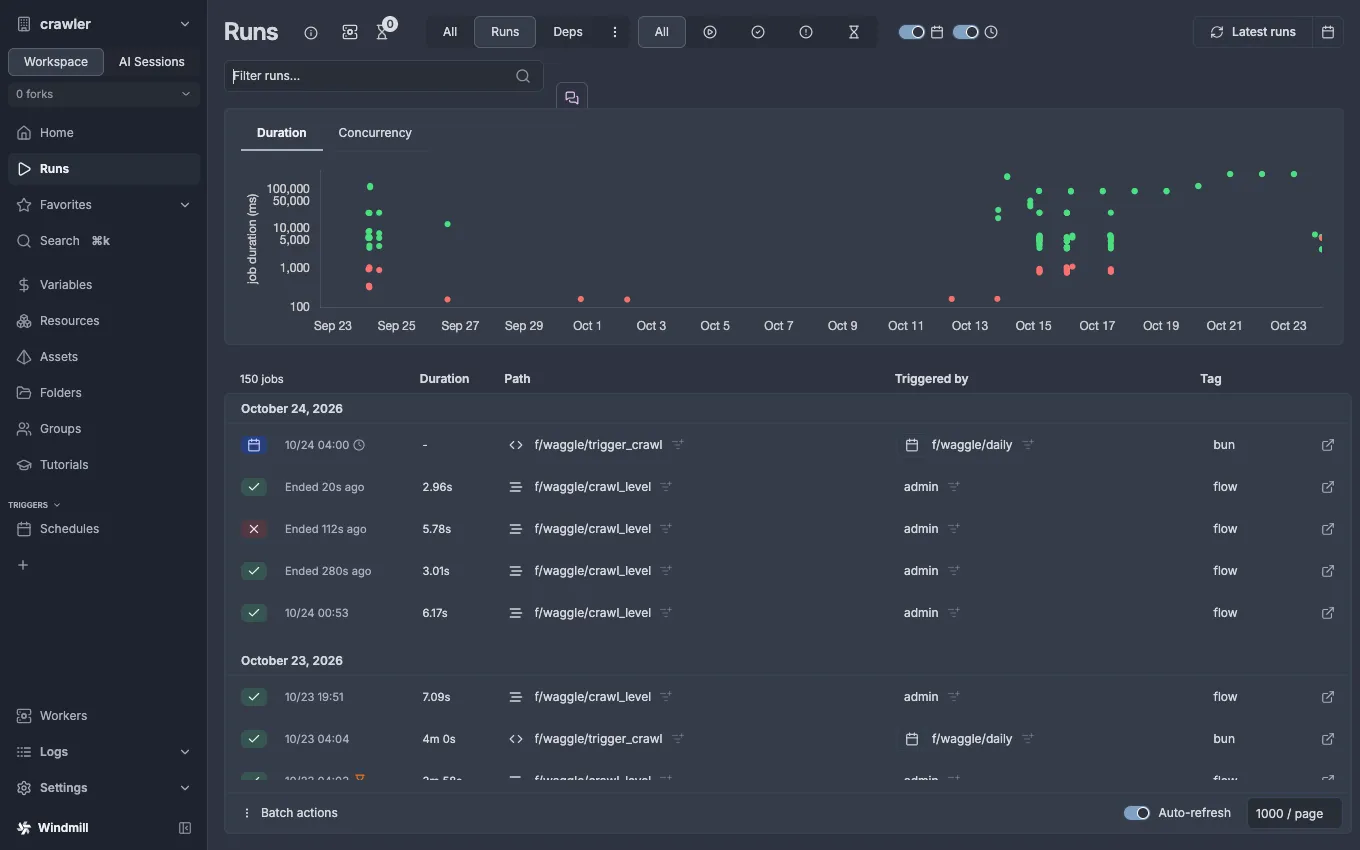
Section titled “Runs — read the history first”Whether a crawl ran or failed, this is the first screen. Path tells you
the step kind — f/waggle/crawl_level is the flow itself, crawl_host and
friends are its steps. A daily row was fired by the schedule.
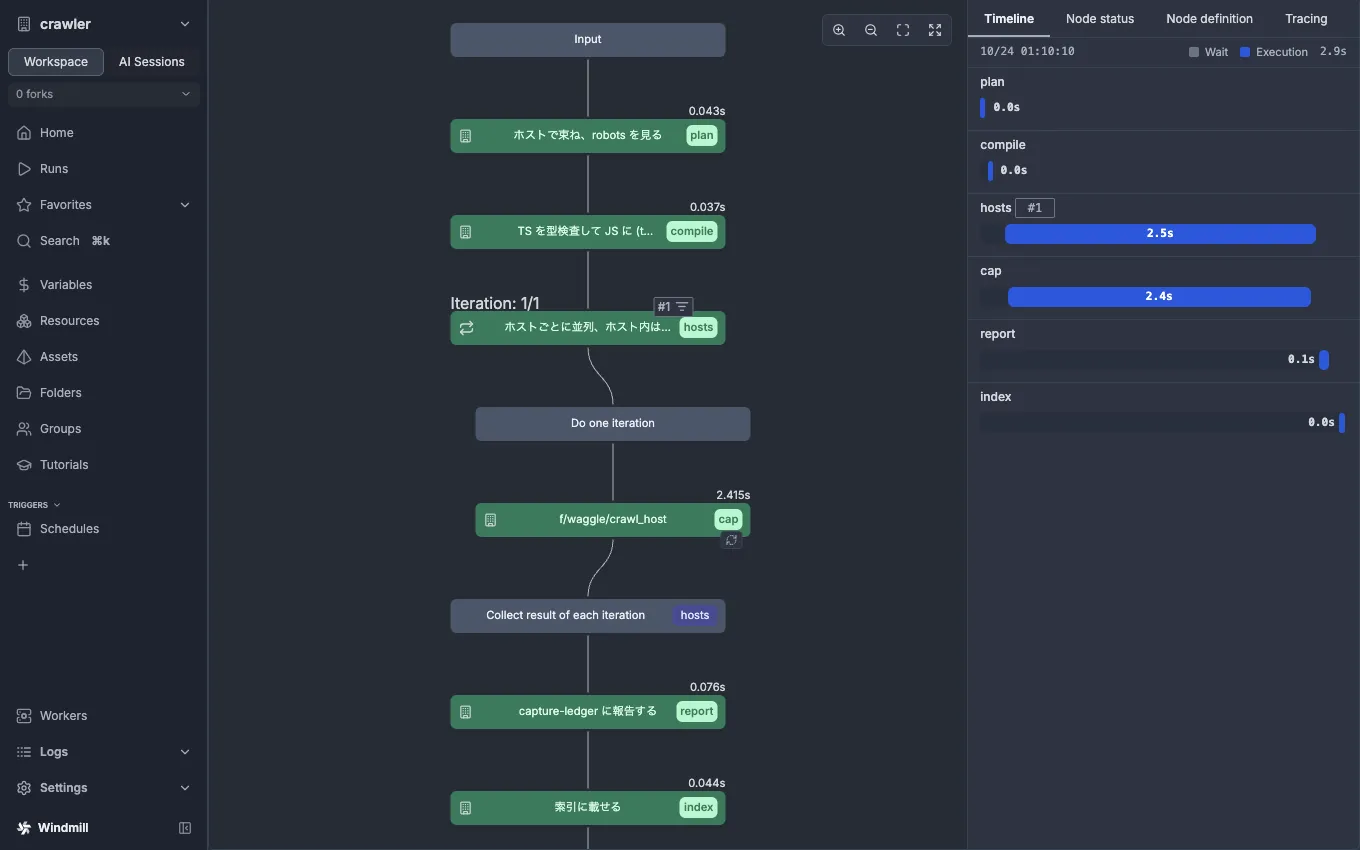
Click a row to open its detail. Open a successful crawl_level run and the
outcome and duration sit on top, with the flow’s inputs below (crawl_id,
depth, and the frontier of URLs to follow).
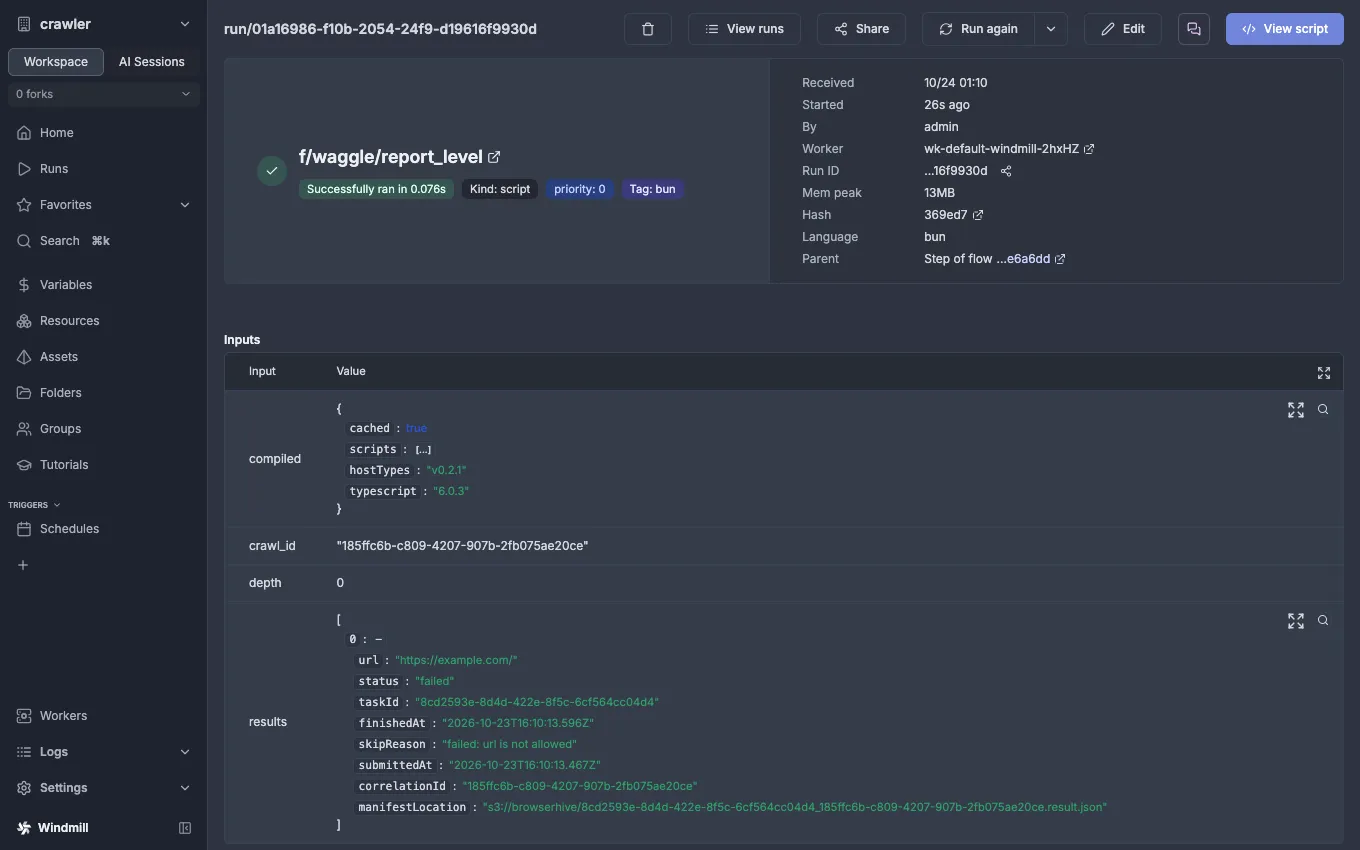
Open one step of the flow (here report_level) and you get that step’s own
inputs and result. Steps run independently, so this is where you trace
which step received what and returned what.
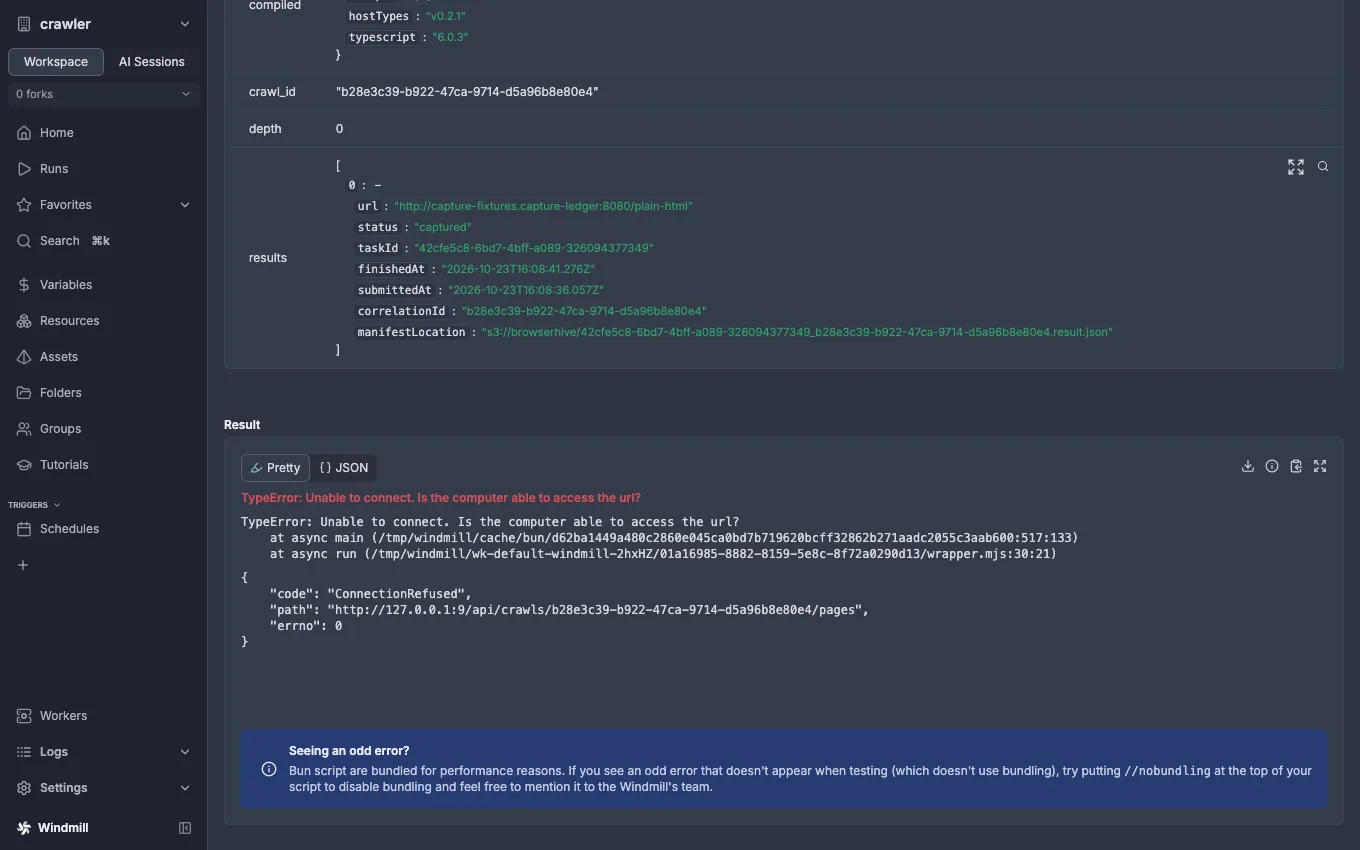
Digging into failures — a real one
Section titled “Digging into failures — a real one”Failures happen in different steps for different reasons. Read the step and error in Runs, then take the detail to each service’s logs — that is how you dig.
report_level could not reach capture-ledger’s POST /api/crawls/…/pages
(Unable to connect, ConnectionRefused). Runs tells you this much — which step, which
target (the path, http://127.0.0.1:9/…), and how it failed. The target is not the API, so
the cause is in the value of u/admin/waggle_api_url (this picture was taken with the variable
pointed at a closed port on purpose). Had it reached the API and got a 500 back, the content
would be only in capture-ledger’s logs. The UI shows which step, which target and how it
failed; identifying the cause is handed to the target’s side.
A crawl_host failure reads the same way. The step fails only when no
BrowserHive can be reached (BrowserHive に届きません: … lists every endpoint);
a refusal from one BrowserHive (400 ValidationException: …, with the field it
refused) is the page’s own failure inside the step’s result, and the crawl goes
on. Either way, what BrowserHive did with the request is in BrowserHive’s logs.
Flow and script — what they are
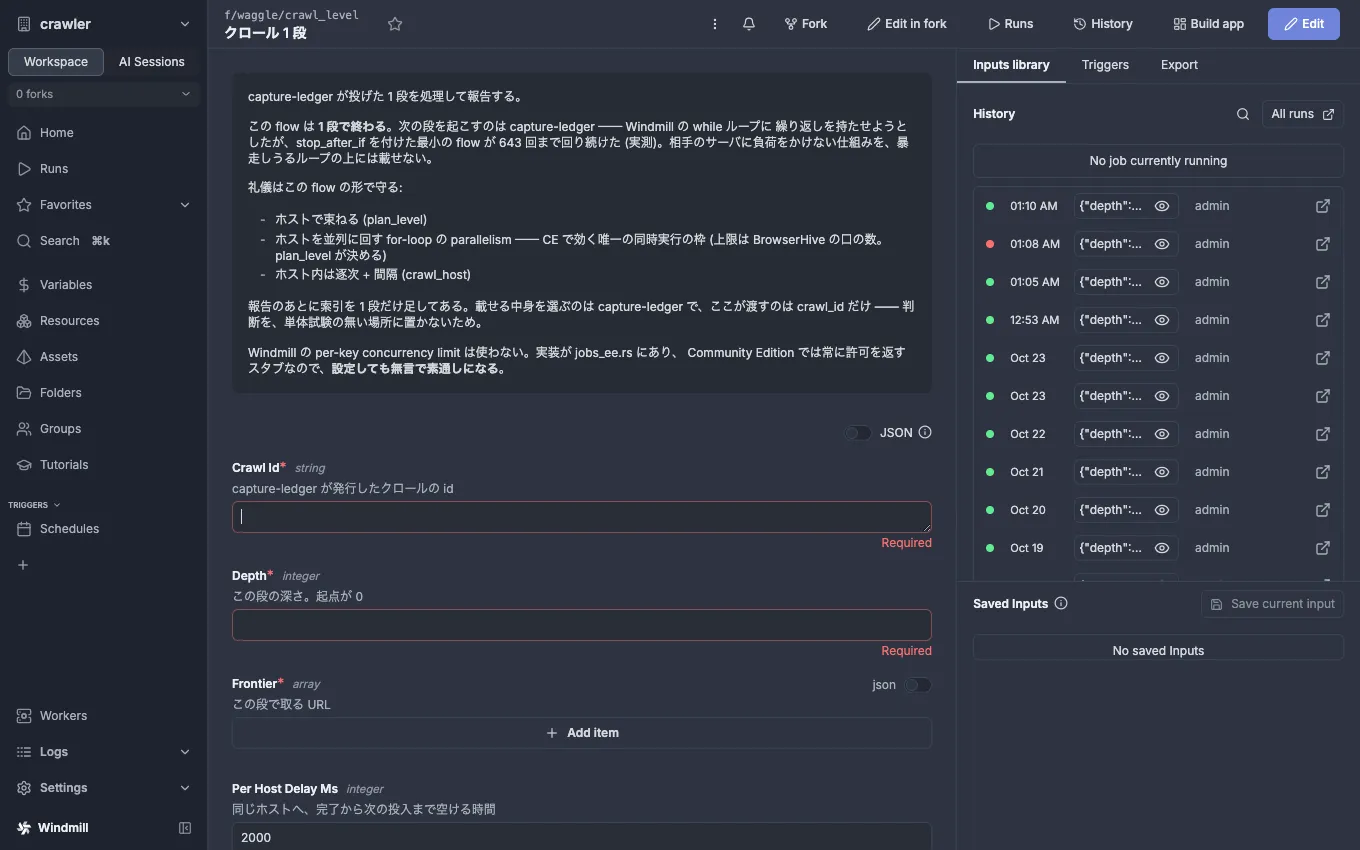
Section titled “Flow and script — what they are”Open f/waggle/crawl_level and you can read the flow’s description
(process one level handed by capture-ledger and report it / one execution is
one level / three points of politeness / per-key concurrency does not bite on
CE) and the arguments it takes. This is the same thinking that
Following links and Windmill CE back up.
The script the flow calls per host in its for-loop is crawl_host. Its
description says it captures one host at a time and is not meant to be called
alone — it is a part of the flow, not something you trigger on its own.
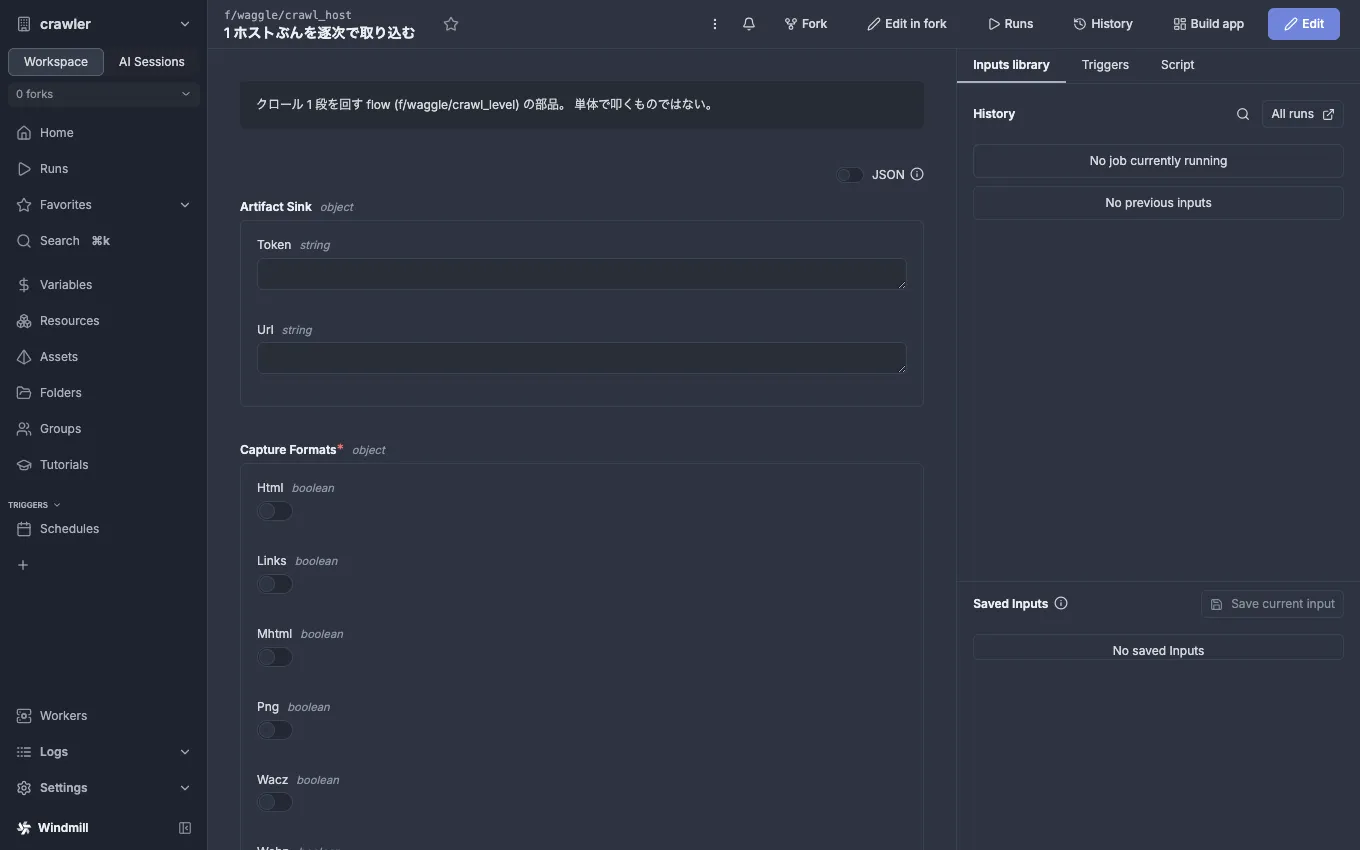
The script code is readable in the UI’s Edit view and in the repo’s
windmill/f/waggle/, but the repo is the source of truth. Edit it in the
UI and the next windmill:push reverts it.
Schedules — when it runs
Section titled “Schedules — when it runs”f/waggle/daily is the only schedule. Cron 0 0 4 * * * (04:00 Asia/Tokyo
daily) fires trigger_crawl. The toggle on the right is enabled.
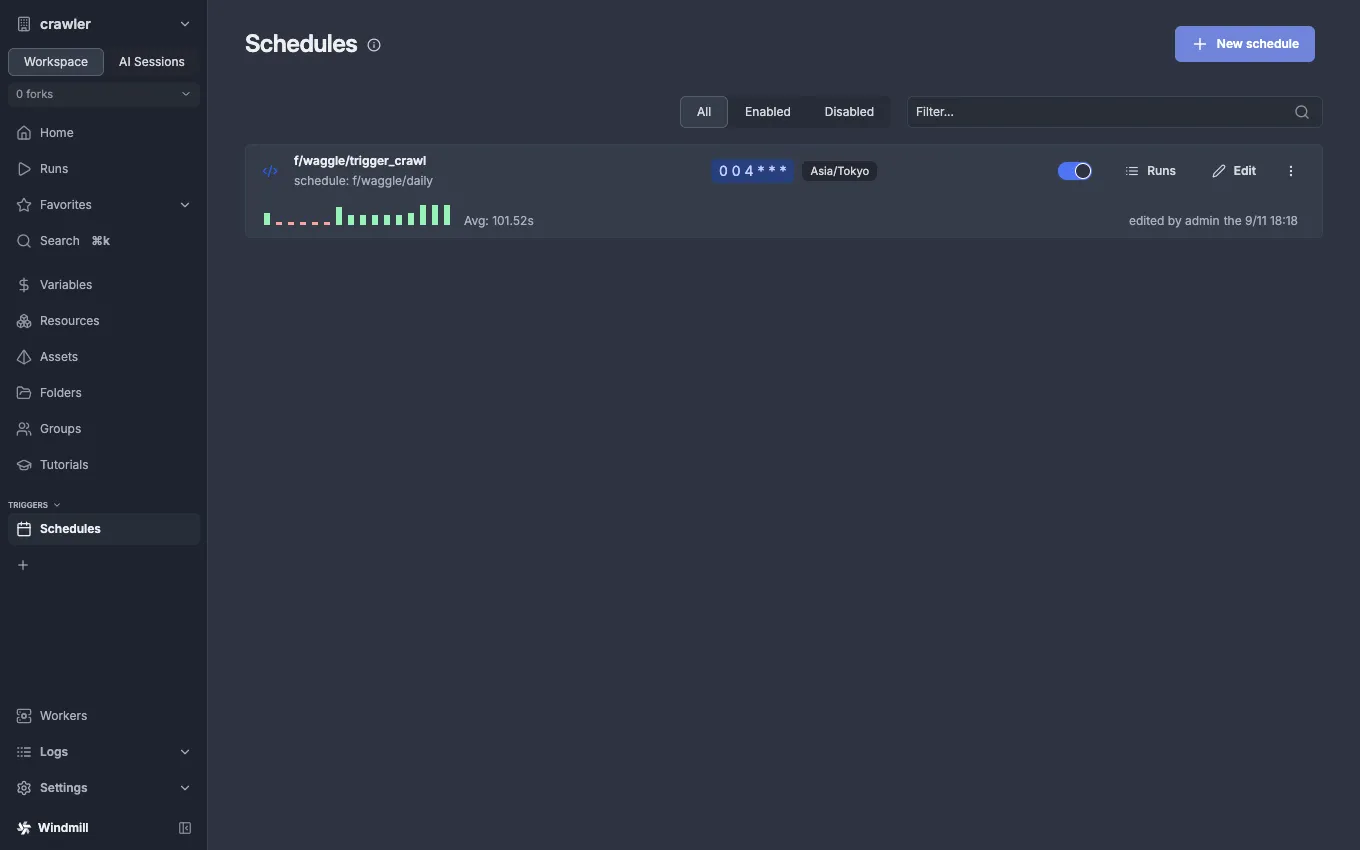
Flip the toggle off and it comes back, because enabled: true in
daily.schedule.yaml is the source of truth and the next windmill:push
restores it. To stop it for good, edit the yaml and push. What it means is on
Schedule.
Variables
Section titled “Variables”The u/admin/* variables. waggle_token is a secret, so its value comes out
masked (••••) — the masking itself is the proof that the token is not
exposed in the UI.
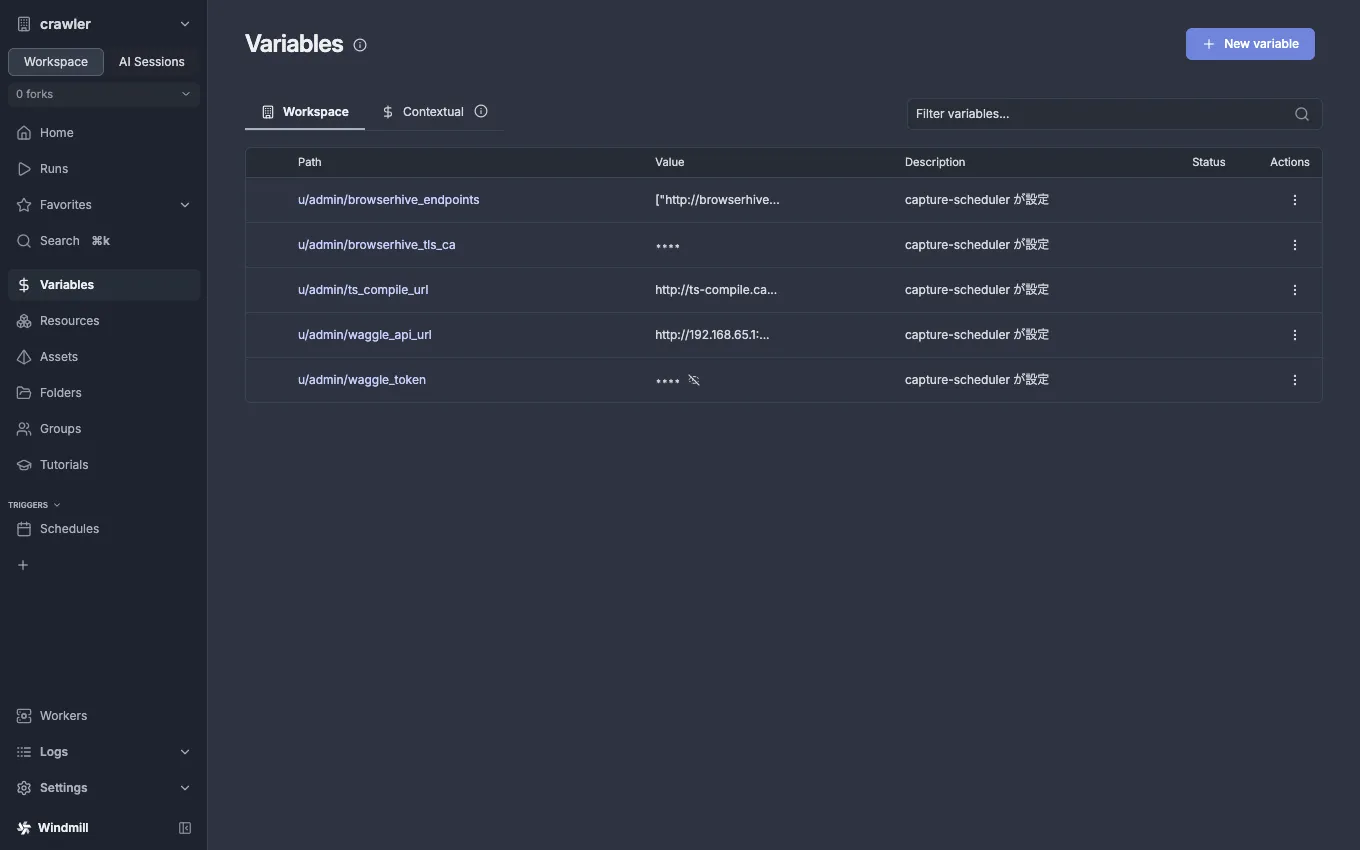
Resources stay empty: this repo puts nothing there (until v0.22 a copy of
BrowserHive’s .proto lived there, under the States tab).
Firing one run by hand
Section titled “Firing one run by hand”Open trigger_crawl and there is a Run form. The schema descriptions read in
Japanese (waggle_url = the capture-api as seen from a container, token =
the dev issuer’s JWT, omit limit to seed every enabled row).
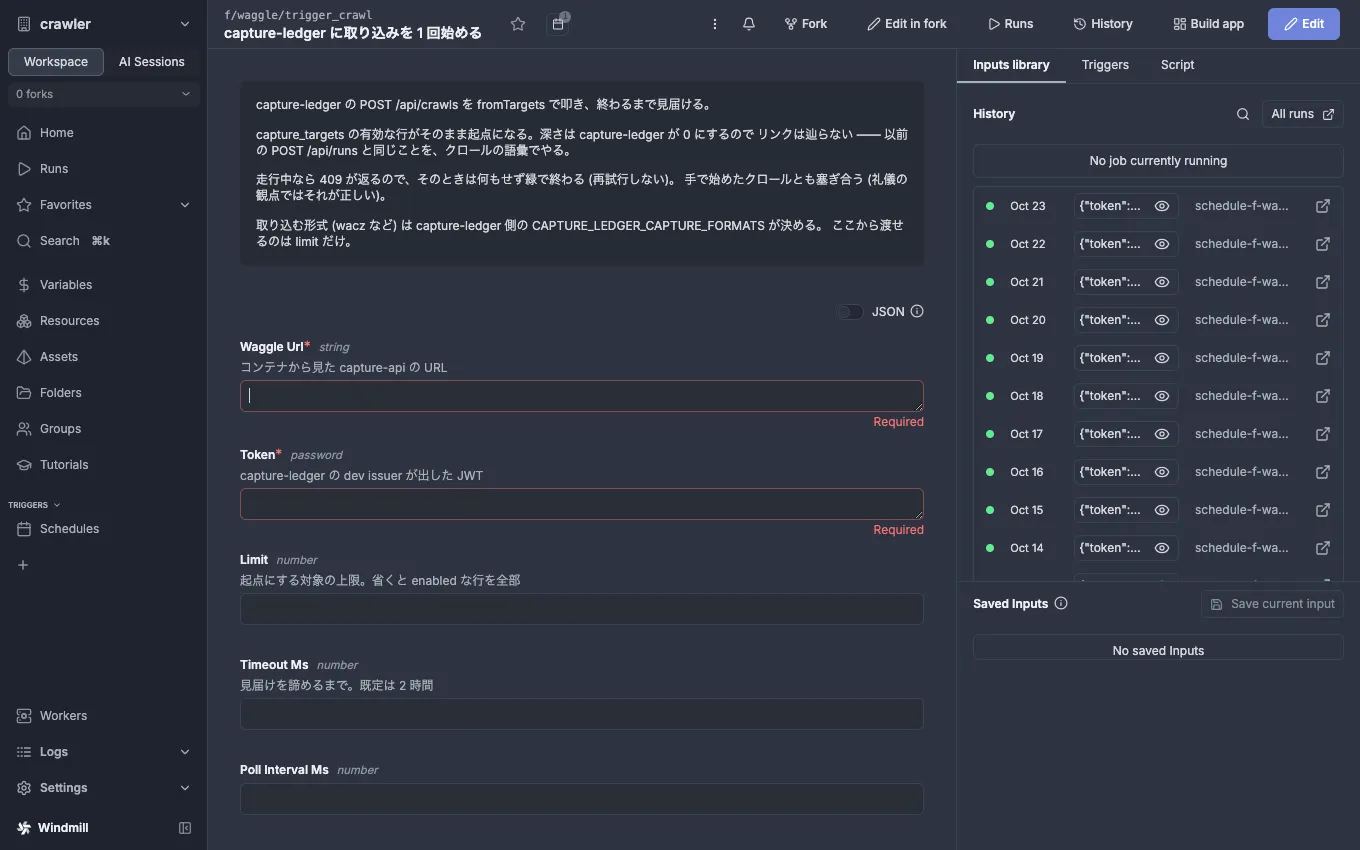
But a schema default is only filled in for UI runs (a CE trap; see
Windmill CE). It never reaches a run from a schedule or
webhook, which is why daily passes values from variables instead.
The variable ledger — which script provisions what
Section titled “The variable ledger — which script provisions what”windmill:push only uploads what is in git (scripts, the flow, the
schedule). Variables are provisioned by a separate script. Confuse the two and
push stays green while the flow dies on its first getVariable.
| Path | Contents | Provisioned by |
|---|---|---|
u/admin/waggle_token |
JWT for capture-ledger (secret) | windmill:capture-ledger-token |
u/admin/waggle_api_url |
Where the capture-ledger API is (default: the gateway of the default network) |
same |
u/admin/browserhive_endpoints |
JSON array of BrowserHive URLs, one per BrowserHive (default ["http://browserhive-1.capture-ledger:50051","http://browserhive-2.capture-ledger:50051"]) |
same |
u/admin/browserhive_tls_ca |
CA for https:// endpoints (empty = plaintext http://) |
same |
u/admin/ts_compile_url |
Where ts-compile-service is (default http://ts-compile.capture-scheduler:8080) |
same |
The endpoints are http(s):// URLs since BrowserHive v12. crawl_host refuses
the host:port form of v11 and names this variable, and
windmill:capture-ledger-token refuses it before writing the variable — so a
stale CAPTURE_LEDGER_BROWSERHIVE_ENDPOINTS in .env stops at the tool, not in
the flow.
Recovering from total loss
Section titled “Recovering from total loss”Deleting the windmill-db volume erases the workspace, tokens and variables. The recovery order (measured on 2026-09-11):
pnpm run windmill:bootstrap # recreates the workspace, prints a fresh token # → paste the WINDMILL_TOKEN= line into .env # → paste the four lines after it at the end of # capture-ledger's .env and restart its APIpnpm run windmill:push # scripts / flow / schedulepnpm run windmill:capture-ledger-token # the five variablescd ../capture-ledgerpnpm run fga:grant submitter windmill acme # let windmill start crawls for acmeIf capture-ledger’s OpenFGA store was wiped at the same time, run
fga:migrate → fga:deploy there first and paste the two printed IDs into
that repo’s .env before granting.
Recreating containers can change the bridge subnet. u/admin/waggle_api_url holds the
gateway of the default network as it was when windmill:capture-ledger-token ran, so re-run it
when the subnet moves. A stale address makes the report step fail to connect (Unable to connect. Is the computer able to access the url?), and the crawl stays running. Reachability
is measured by the container→api line of pnpm run doctor, which asks the variable’s /healthz
from inside the worker and, when that fails, compares the address with the current gateway to
tell a stale address from an API listening on 127.0.0.1. When pnpm run doctor is all ✓ and
pnpm run smoke says “撮れた” (captured), the recovery is done.
The name f/waggle/
Section titled “The name f/waggle/”The repo was renamed waggle → capture-ledger, but the Windmill folder is
still f/waggle/. The folder path is part of the webhook URL
(/api/w/crawler/jobs/run/f/f/waggle/crawl_level); changing it breaks the
webhook configured on the capture-ledger side. It stays not as a name but as
an external contract.